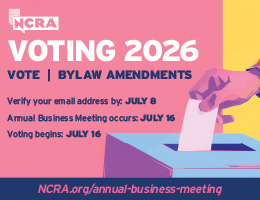
NCRA’s Annual Business Meeting will take place Thursday, July 16, 8:30-11 a.m. Pacific in conjunction with the NCRA Conference & Expo at the Hyatt Regency in Bellevue, Wash. During the meeting, NCRA Voting Members will have the opportunity to discuss five proposed bylaw amendments to the Constitution and Bylaws. Reminder: Verify or update your email address with NCRA by midnight Eastern July 8 to make sure you are able to receive the emails with voting information.
Annual Business Meeting – attend in person or via Zoom
If you are unable to attend the meeting in person, you can watch the event’s livestream over Zoom. Registration is open now. A recording of the meeting will be made available exclusively to members in the NCRA Learning Center for a limited time. A PDF of the meeting transcript will also be available on the Annual Business Meeting page following the event for those who are unable to attend live.
Among the proposed bylaw amendments are the inclusion of voice writers into the Association as well as a change to the bylaw amendment procedure. A threshold reduction for affiliated units is also under consideration, as is a change to the membership privileges for CLVS holders.
Voting via secure online means will start within two hours of the close of the business meeting and will remain open for 24 hours. Members may cast their votes via their phones, tablets, or computers. Results will be posted shortly thereafter.
Verify or update your email by midnight Eastern July 8
To receive an online ballot, members must have a valid email address on file in NCRA’s membership database. Ensure your email is current by midnight Eastern July 8.
Visit the member portal at NCRA.org and take the following steps to verify or update your email address:
- Click on “Login” at the very top of the website
- Log in with your NCRA ID and password (If you do not know your password, contact Membership below)
- Once you see a “Welcome” message, click on “My Profile”
- To verify or update your email address, click on “View and Edit Profile”
If you make changes, please be sure to click “Save Profile Information” near the bottom of the profile page.
If you are unable to make your changes or if you do not know your password, contact the NCRA Member Services and Information Center at 800-272-6272 or NCRA Membership at membership@ncra.org. Changes cannot be accepted after July 8.